Configuration is where connected systems come to life — and where complexity can quickly multiply. A visual configuration environment, on the other hand, helps manage that complexity by displaying all devices, protocols, and data paths in one organized view.
Instead of starting from code or configuration files, system integrators can build visually: connecting devices, defining data points, and confirming communication as they go.
In environments where uptime, data integrity, and operational safety depend on reliable communication, precision in configuration matters as much as the connection itself. The result is faster setup, fewer errors, and a clearer understanding of how information moves from the field to the cloud.
The following steps outline how that process typically unfolds, from the initial network view to final system verification.
1. Start with the Network View
Every configuration begins with visibility. A clear network view provides a structured starting point, showing how clients, servers, and field devices relate within the system.
Most modern configuration environments follow a similar layout, guiding integrators through each stage: connections, nodes, points, data manipulation, and event logging.
This top-level view reveals both sides of the data flow. On the client side, a device acts as the requester, polling or subscribing to data from the field. On the server side, it becomes the provider, publishing information for other systems to use. Seeing both perspectives in one workspace helps confirm the logic of communication before any parameters are defined.
Key actions at this stage include:
- Reviewing connection paths to confirm that all required devices and protocols are represented.
- Checking for conflicts such as duplicate network numbers, address overlaps, or parameter mismatches.
- Verifying that clients and servers are correctly paired for the intended data exchange.
A clear network view transforms configuration from guesswork into design. It builds shared understanding between integrators, engineers, and operators. MSA FieldServer™ gateways are designed around this principle, providing a visual, intuitive environment where both client and server relationships are clear from the start, setting the stage for faster configuration and more reliable data flow.
2. Add and Configure Clients
Once the network view is in place, the next stage is defining how communication occurs between devices. While details vary slightly by environment, the process typically follows three phases that move from setup to validation.
- Define the Connection
- Select the communication protocol, such as Modbus RTU, BACnet, or SNMP.
- Enter parameters including port, baud rate, parity, and poll delay according to the device manual. For example, a typical Modbus RTU setup might use 19200 baud or even parity.
- Validate the settings to confirm they align with the field device’s specifications.
- Add Nodes
- Create a node for each connected device and assign a name, connection type, and unique node ID.
- Configure retry limits, timeouts, and recovery intervals to maintain reliable communication.
- Review node-level communication status to confirm network integrity.
- Map Points
- Identify the specific data values to be read or written, such as voltage, frequency, or temperature.
- Define each point’s address, data type, and scan rate.
- Monitor live values (typically shown in a data or diagnostics view) to verify that communication is active and that each point is correctly mapped.
Each phase builds logically on the previous one, turning the network structure into a live, verifiable system. FieldServer gateways follow this same structured approach, giving integrators a clear visual path from initial setup to stable, continuous data exchange.
3. Create and Map Nodes
After connections and clients are configured, the next focus is on data mapping, which is the process that turns raw device readings into usable information. The exact steps may differ slightly by application, but the overall logic remains consistent across environments.
Nodes represent the individual field devices within the network, and each node’s configuration defines how data points are read, interpreted, and shared.
- Define Each Node
- Assign a descriptive name and connection type that clearly identifies the device.
- Enter the node ID and confirm it matches the address defined in the device documentation.
- Use consistent naming conventions to simplify troubleshooting and future updates.
- In Practice: FieldServer gateways support both free-form configuration and reusable profiles, giving integrators the flexibility to customize each node or apply repeatable templates for similar devices.
- Select and Map Points
- Reference the device’s communication manual to determine which registers or points to include.
- Add the data values to be monitored or controlled, such as voltage, current, or frequency, and specify each point’s address, data type, and update rate.
- Use live data views to verify that readings are accurate and updating as expected.
- In Practice: FieldServer gateways provide real-time visibility into point activity, allowing users to confirm correct mappings instantly and adjust before deployment.
- Apply Data Manipulation
- Combine or adjust raw data values as needed. For example, two 16-bit registers can be joined into one 32-bit value or scaled to convert raw readings (such as 23560) into usable engineering units (235.6 volts).
- Create simple arithmetic or logical operations to align data formats across systems or normalize values for analysis.
- Validate the transformed output in real time to confirm that results match expected field measurements.
- In Practice: FieldServer gateways allow both system integrators and OEM engineers to perform these data manipulations directly within the same environment, supporting collaboration and faster validation.
Mapping nodes and applying basic data manipulation helps bridge the gap between device data and actionable insight. FieldServer gateways are designed around this same principle, providing integrators with the tools to translate complex device data into standardized, reliable values that are ready for monitoring, control, or cloud integration.
4. Verify and Connect
Verification is where configuration meets proof. This stage confirms that every connection, point, and protocol works exactly as designed, turning setup into performance.
- Confirm Data Flow
Reliable data flow is the clearest sign of a sound configuration. Watching values update in real time shows whether timing, scaling, and mappings are behaving as expected. When readings align with field measurements, the foundation is ready for operation. - Check Diagnostics
No system runs flawlessly forever. Reviewing diagnostics, event logs, and error counters provides early insight into connection health. Even during testing, these tools help confirm retry settings, recovery intervals, and data integrity under real conditions. - Connect with Confidence
When validation is complete, the configuration becomes a working system—ready to exchange data locally or through the cloud with verified accuracy and stability. Documentation captured during this phase provides a benchmark for ongoing performance and maintenance.
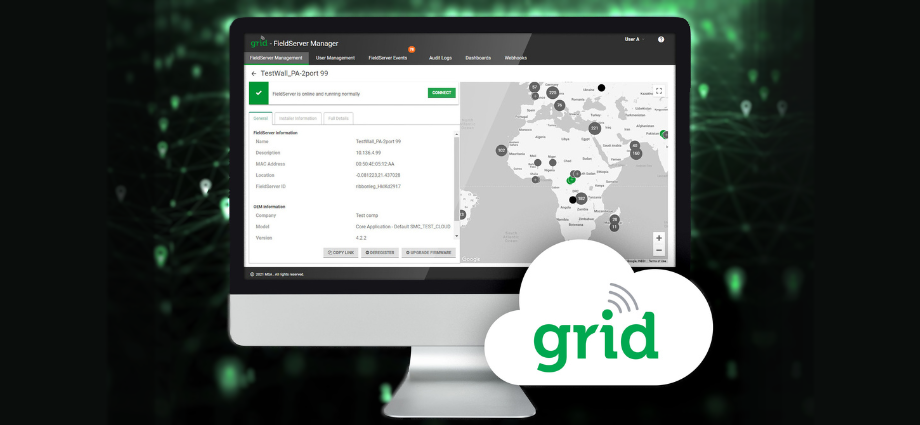
In Practice: FieldServer gateways bring these validation and diagnostic tools together in one environment, allowing integrators and OEM engineers to confirm performance before deployment. With FieldServer Manager, configurations can also be monitored and updated remotely, ensuring consistency long after startup. The result is faster commissioning, cleaner data, and a smoother handoff from configuration to operation.
Bringing It All Together
With validation complete, configuration shifts from setup to operation, and from data flow to data confidence.
Effective configuration turns a collection of devices into a unified system. By defining connections, mapping data, and validating performance, integrators create the structure that keeps information moving reliably from the field to the cloud.
What matters most is consistency and the assurance that every component communicates as expected and that data flows where it’s needed without interruption.
That’s the strength of a smarter setup, and it’s what FieldServer gateways are engineered to support.
To discuss configuration strategies or explore how FieldServer gateways can support your next integration, contact a FieldServer expert today.
Recommended for You